
Downloads
Dentra apps to install
For Mac and Windows, free. Here you'll always find the latest version and, if you need them, previous ones too.

For everyone
Dentra Viewer
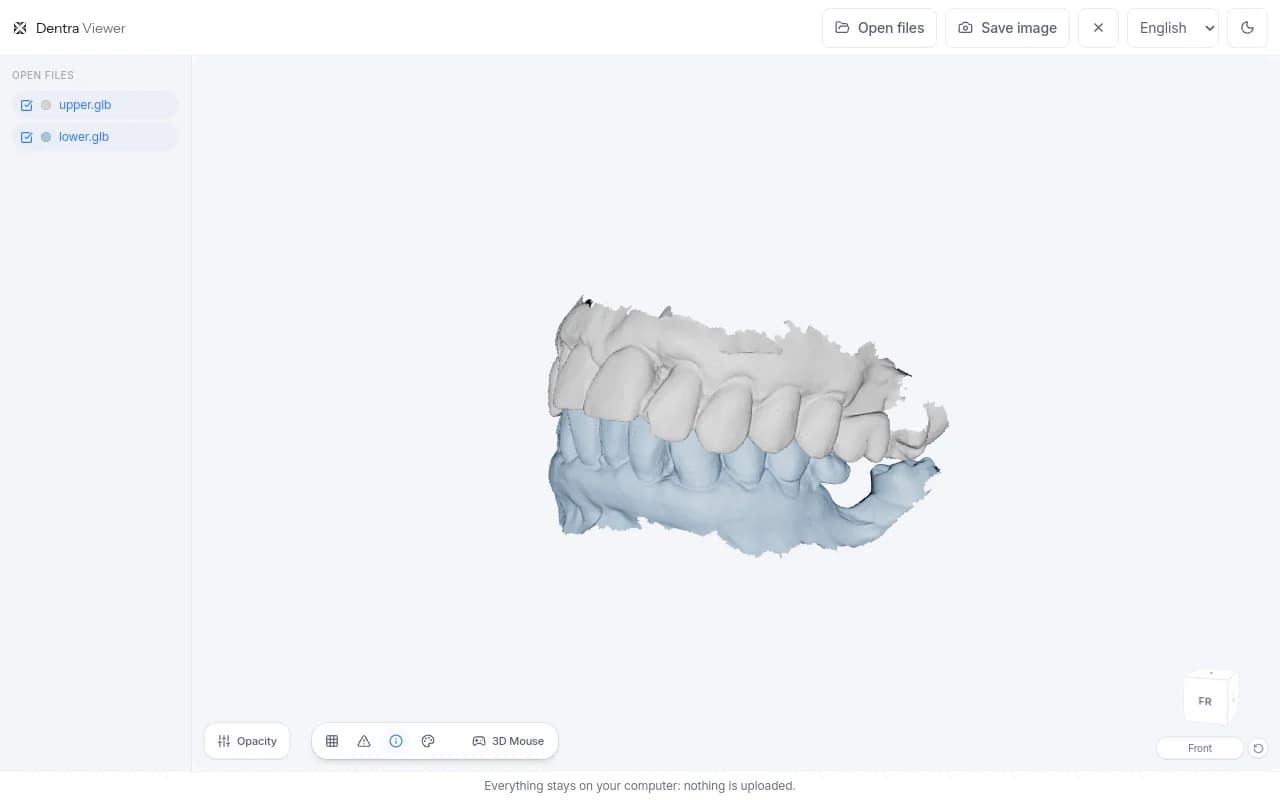
Open 3D models on your computer, even offline: several files together, and also the project file from your design software.
Latest version 0.7.7Released on 23 November 2026
Or download the Windows file (83 MB)How to install23 previous versions
- 0.7.623 November 2026 Windows
- 0.7.523 November 2026 Windows
- 0.7.23 November 2026 Mac Windows
- 0.7.123 October 2026 Mac Windows
- 0.7.023 October 2026 Mac Windows
- 0.6.422 October 2026 Mac Windows
- 0.6.320 October 2026 Mac Windows
- 0.6.218 October 2026 Mac Windows
- 0.6.118 October 2026 Mac Windows
- 0.6.09 October 2026 Mac Windows
- 0.5.07 October 2026 Mac Windows
- 0.4.75 October 2026 Mac Windows
- 0.4.54 October 2026 Mac Windows
- 0.4.43 October 2026 Mac Windows
- 0.4.33 October 2026 Mac Windows
- 0.4.23 October 2026 Mac Windows
- 0.4.13 October 2026 Mac Windows
- 0.4.03 October 2026 Mac Windows
- 0.2.31 October 2026 Mac Windows
- 0.2.21 October 2026 Mac Windows
- 0.2.130 September 2026 Mac Windows
- 0.2.030 September 2026 Mac Windows
- 0.1.030 September 2026 Mac Windows

For everyone
Dentra Recorder
Record screen, webcam and voice: it saves the combined video plus screen and webcam on their own. Free: without signing in, videos carry a light Dentra logo; with your Dentra account they come out clean.
Latest version 1.7.2Released on 23 October 2026
How to install13 previous versions
- 1.7.122 October 2026 Mac Windows
- 1.7.09 October 2026 Mac Windows
- 1.6.24 October 2026 Mac Windows
- 1.6.14 October 2026 Mac Windows
- 1.6.04 October 2026 Mac Windows
- 1.5.23 October 2026 Mac Windows
- 1.5.13 October 2026 Mac Windows
- 1.5.03 October 2026 Mac Windows
- 1.3.21 October 2026 Mac Windows
- 1.3.130 September 2026 Mac Windows
- 1.3.029 September 2026 Mac Windows
- 1.2.029 September 2026 Mac Windows
- 1.1.029 September 2026 Mac Windows
 AI
How to install
On a Mac it opens right away. On Windows, the first time, your computer asks for confirmation: here's how, just once.
Mac
For every Mac, with Apple silicon or Intel.
- 1Open the downloaded file and drag the app into the Applications folder.
- 2Open it. It's signed and verified by Apple: it opens right away, with no warnings.
Windows
Dentra Viewer from the Microsoft Store installs without these steps.
- 1If your browser asks whether to keep the file, choose «Keep».
- 2Open the file. If «Windows protected your PC» appears, click «More info» and then «Run anyway».
- 3Follow the installer. From then on the app opens normally.
On Windows the warning appears for files downloaded from here, which aren't registered with Microsoft yet. When a new version is out, the app tells you and updates when you ask it to; on the Mac, sometimes the download opens and you replace it by hand.