
 AI
AIFor dentists and dental labs
From scan to finished work.
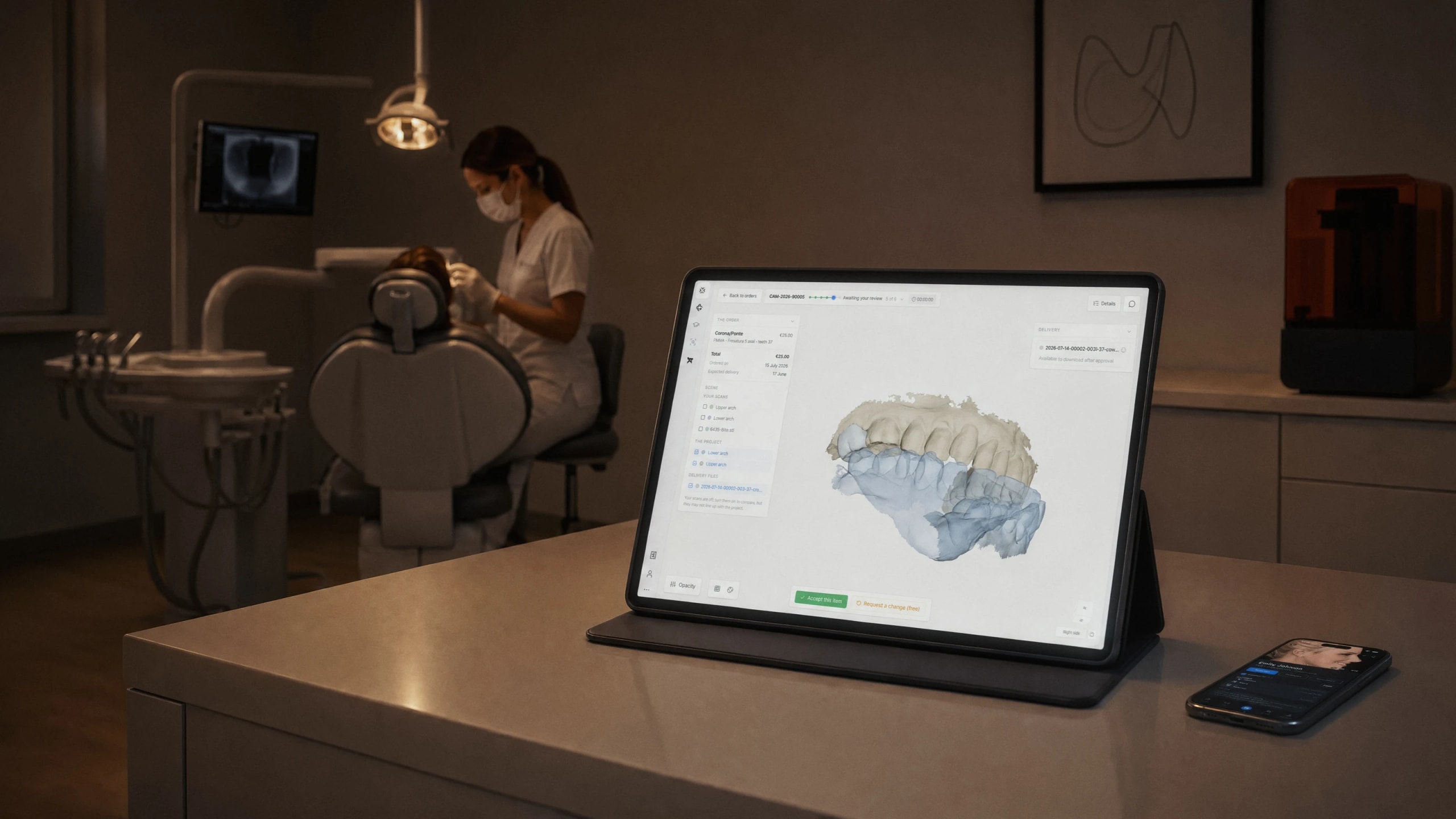
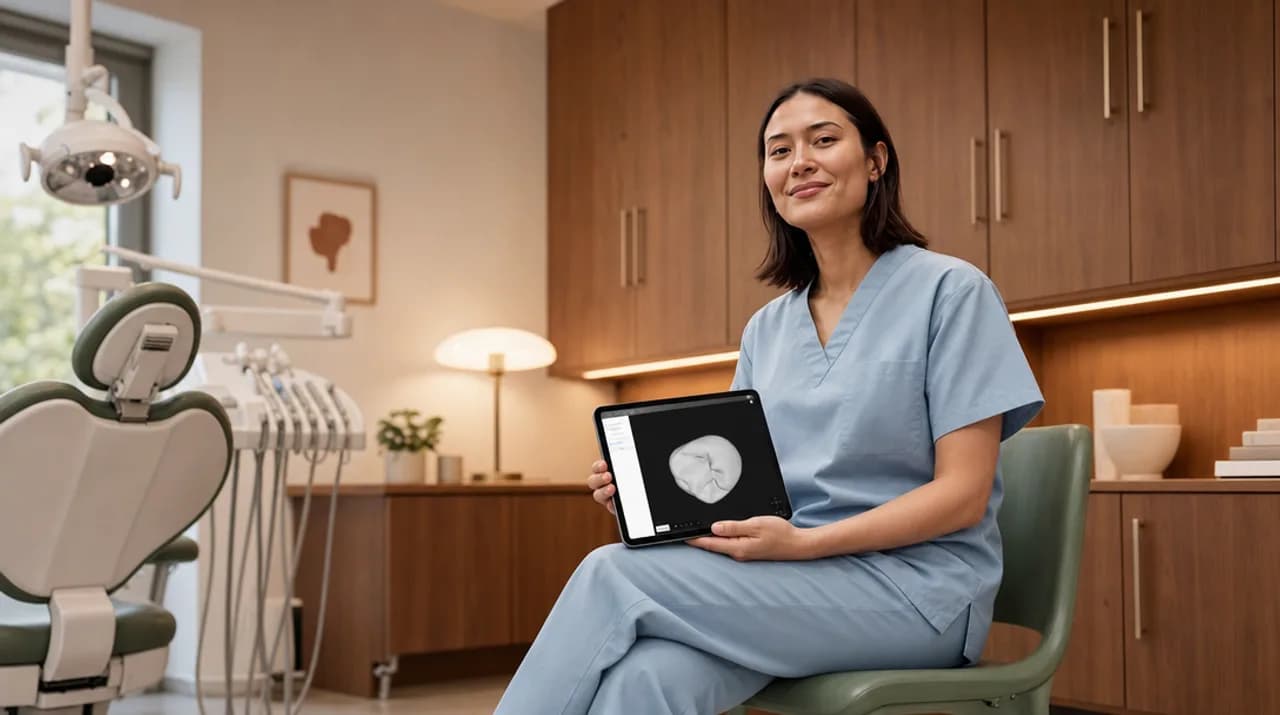
One flow, from the scanner to delivery: the quote as you fill in the order, design that follows your preferences, review in 3D.
- GDPR
- EU servers
- MDR
- Encryption







How it works
Four steps, from the chair to the finished case. Each one leaves a trace inside the order, there whenever you want to read it back.
Scanner
 Medit LinkMedit i500 · i700 · i900
 DS CorePrimescan · Omnicam
 Shining 3DAoralscan
1The scan comes in. You upload it to the order, from the browser. With some scanners you send it straight from their own software.
What do you need?
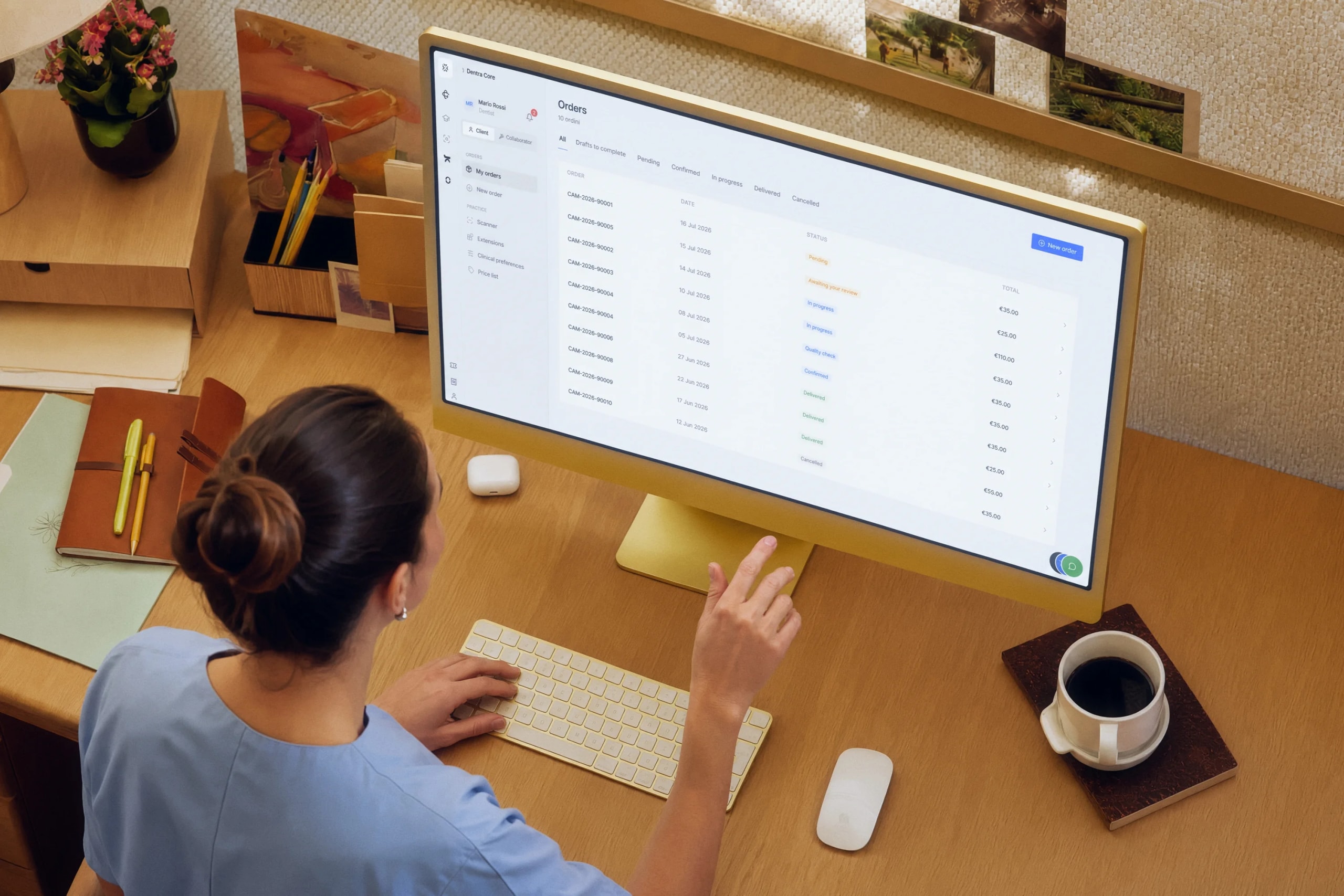
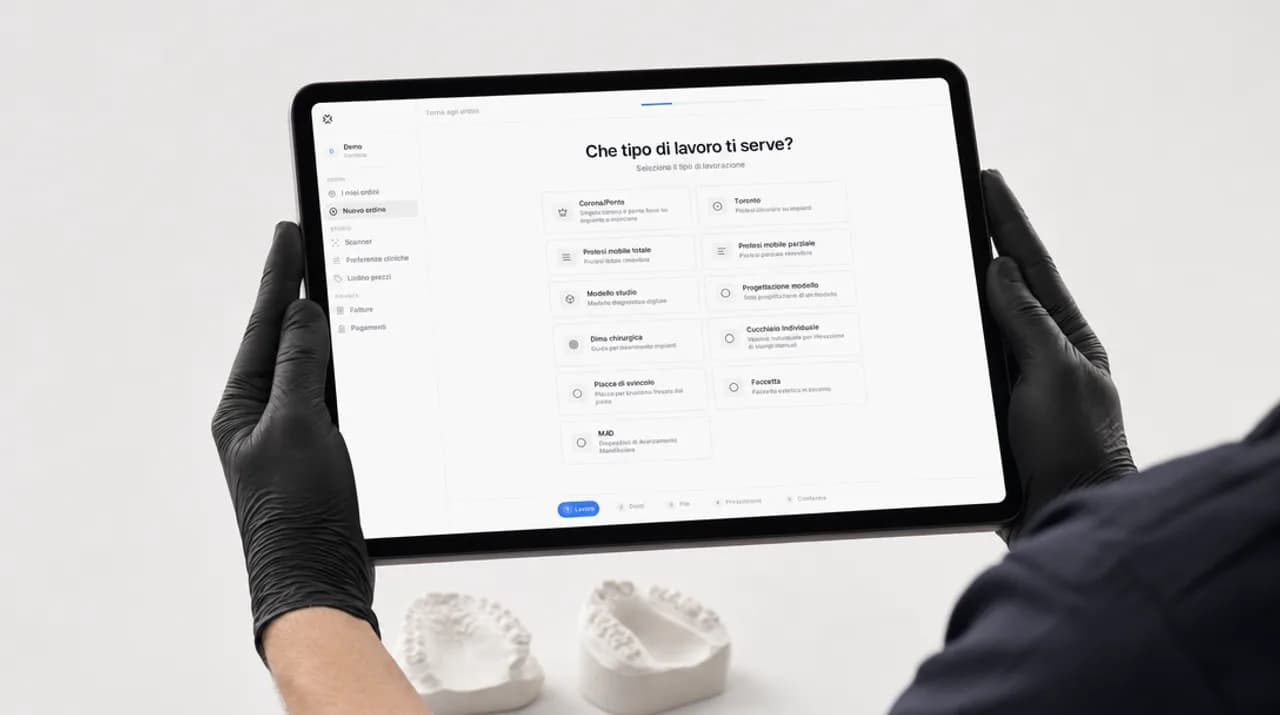
2The order fills in. Questions follow the case; the quote appears as you choose.
Crown/Bridge
CAM-2026-90005
Zirconia · 37
One change is included within 24 hours.
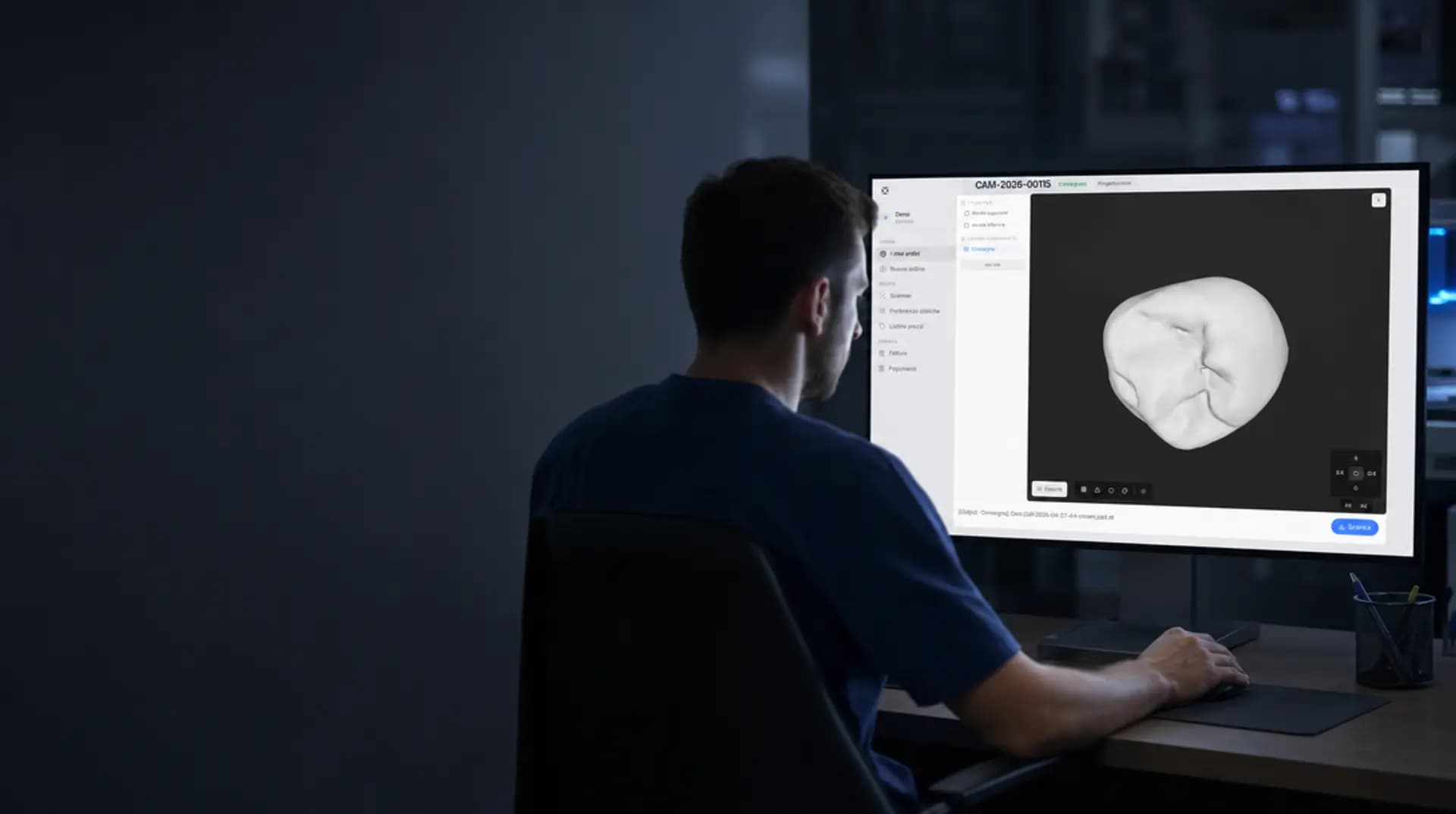
3Review in 3D. Turn the design and request changes from the exact spot.
Your files
4The finished case. Download it, share it, and turn it into printable models.
01The scan comes in
The scan comes into Dentra
Open the order and upload the files from the scanner you already have. Soon cases will arrive by themselves from your scanner's software.
No. You work with the scanner you already own and the formats it produces: there is nothing to convert by hand.
Each in its own slot inside the order: upper arch, lower arch, bite. Whoever designs doesn't have to guess which file is which.
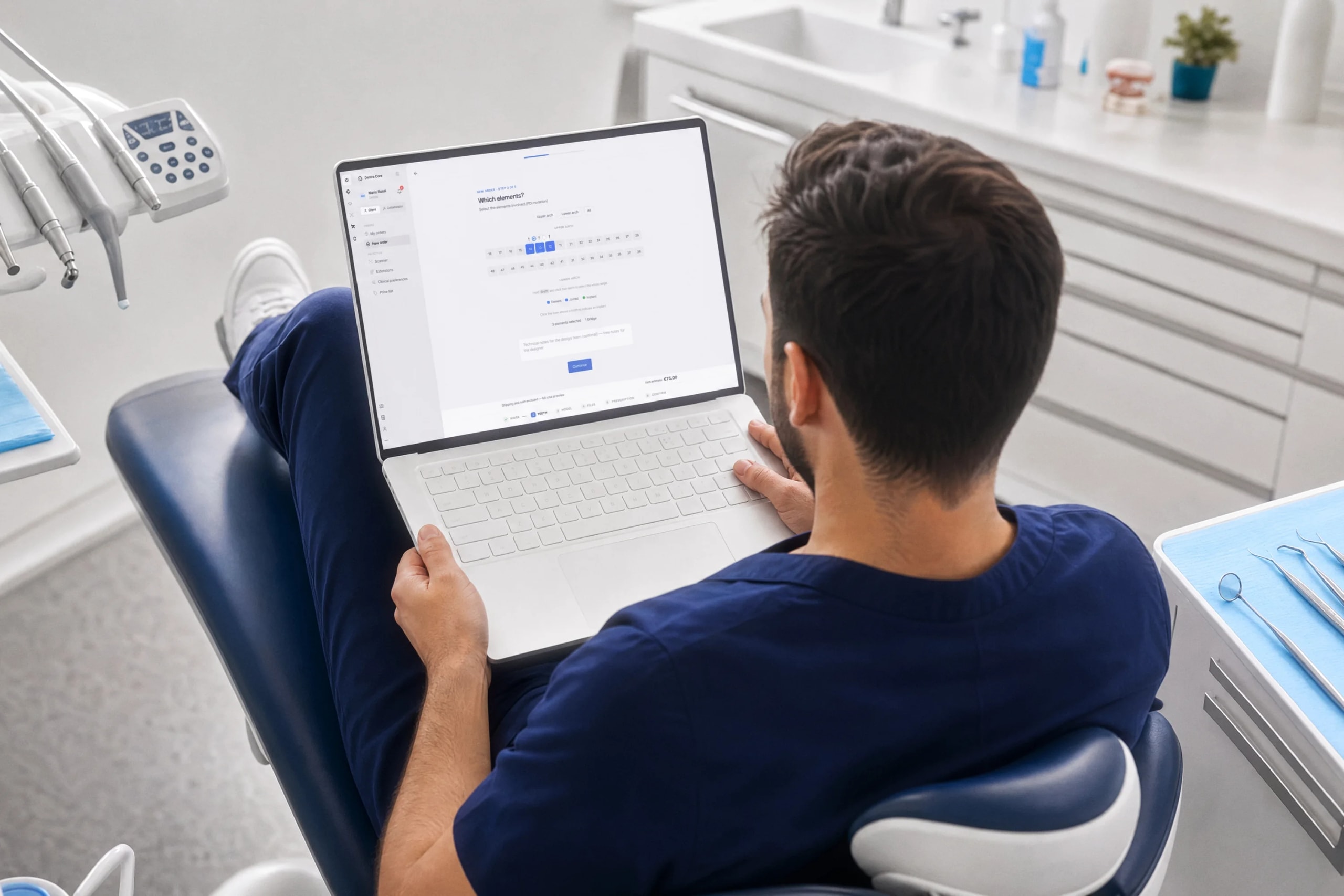
02The order fills in
Say what the case is, and the quote appears as you go
The questions follow the type of work, the prescription stays attached to the case with your signature, and you see the total before confirming, with your own price list applied.
As you fill it in. The total updates with every choice, and no surprise arrives with the invoice.
Yes: pick the day around when the patient is in the chair, and the time band if you need it by a certain hour. Any surcharge is written up front.
No. Thicknesses, cement space, contacts, margins: you write them once in your clinical preferences and they apply to all your orders.
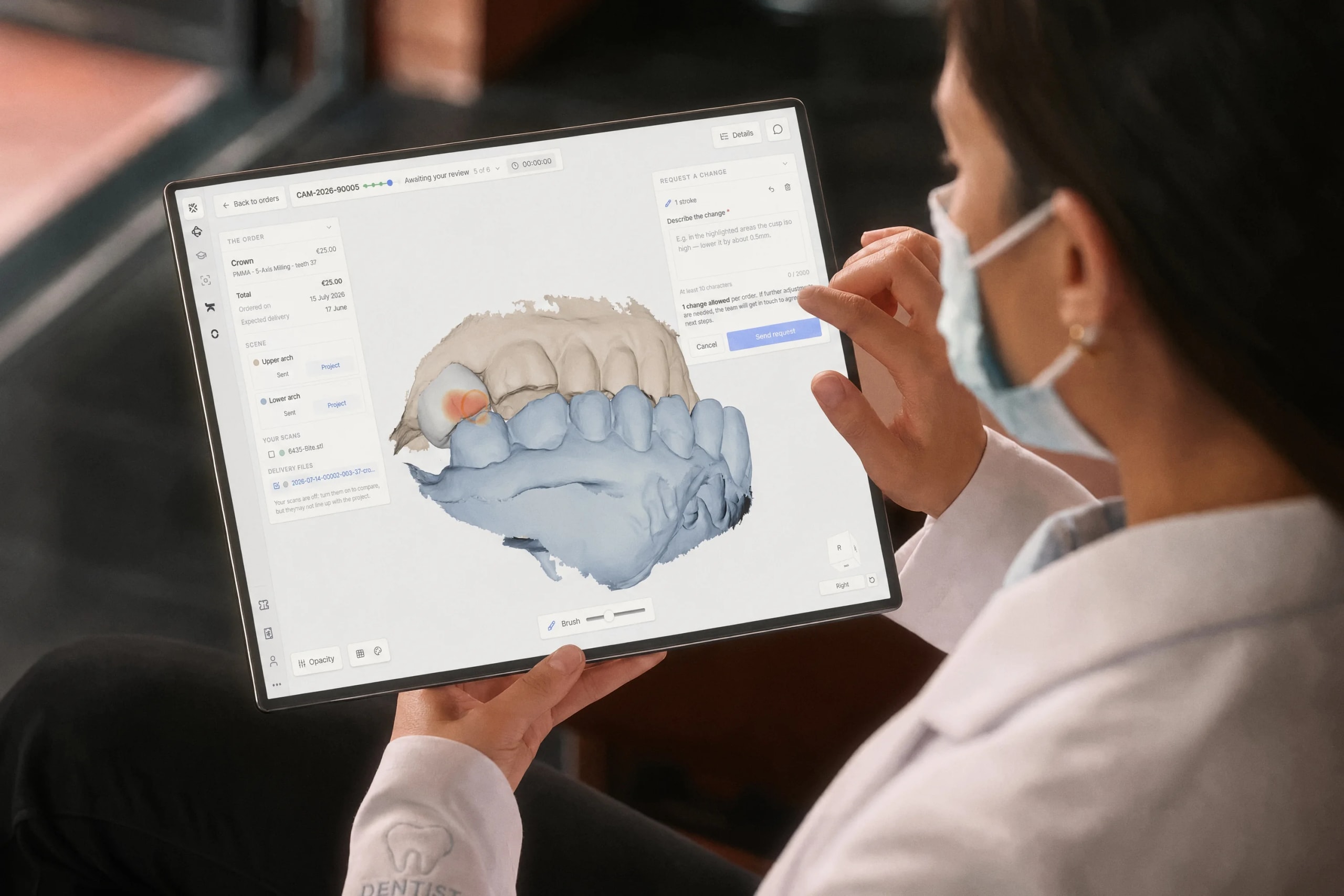
03Review in 3D
Review the design in 3D and ask for changes from there
Turn the design, compare it with your scans, look where it matters to you. If something is off, request the change from the same view: whoever designs opens exactly the spot you were looking at.
No, it opens in the browser. The colleague you send it to sees it without installing anything either.
Request a change describing what to adjust: the request stays attached to the case, together with the view you made it from.
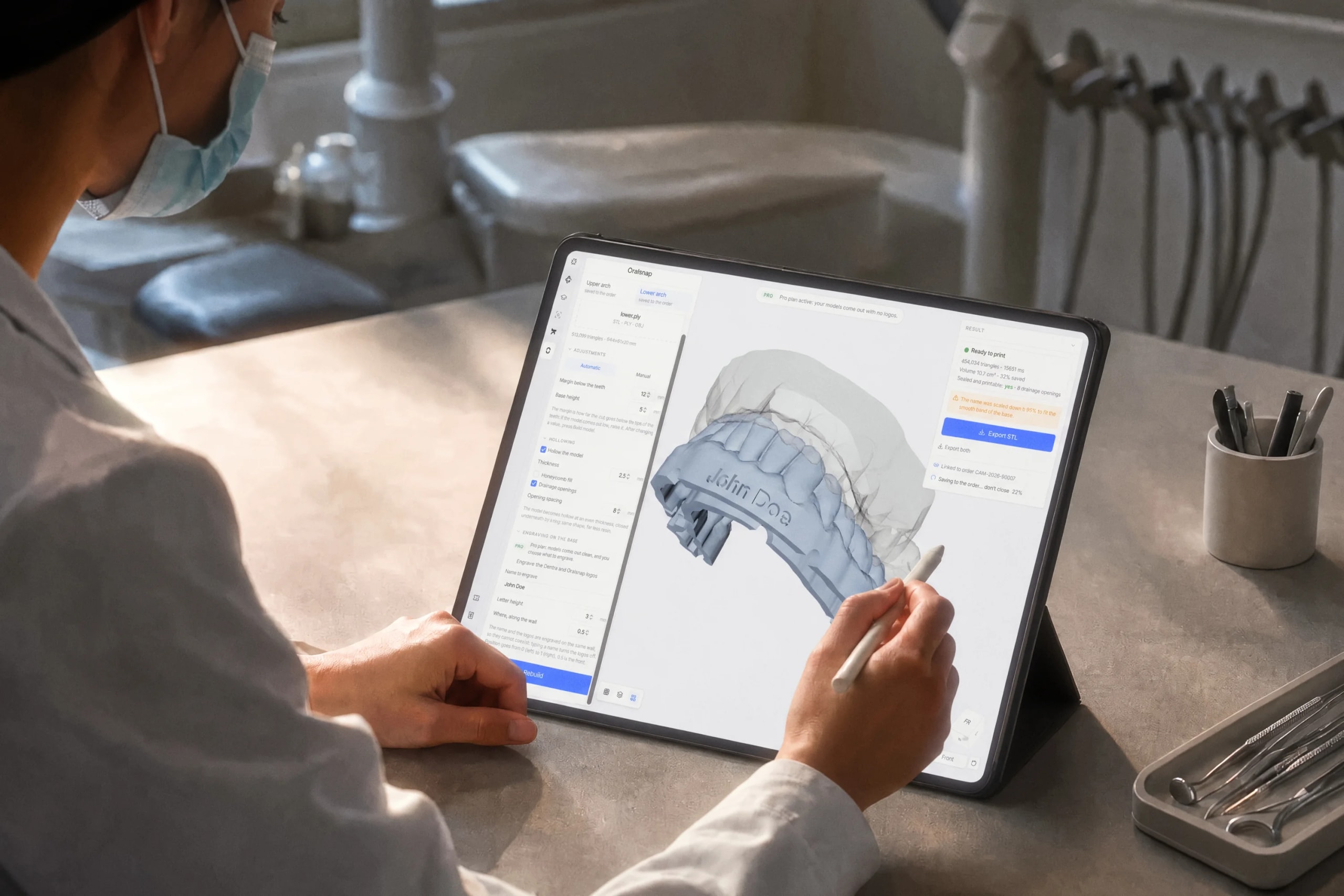
04The finished case
The finished work, wherever you need it
Download it, share it with a colleague, and turn your own scans into printable arch models. With the same account you can take the case into the Oralsnap app too.
Yes: your scans become arch models with a base, ready for the printer, and they stay inside the order among your files.
Yes. The design opens in 3D on any screen, phone included, with nothing to install.

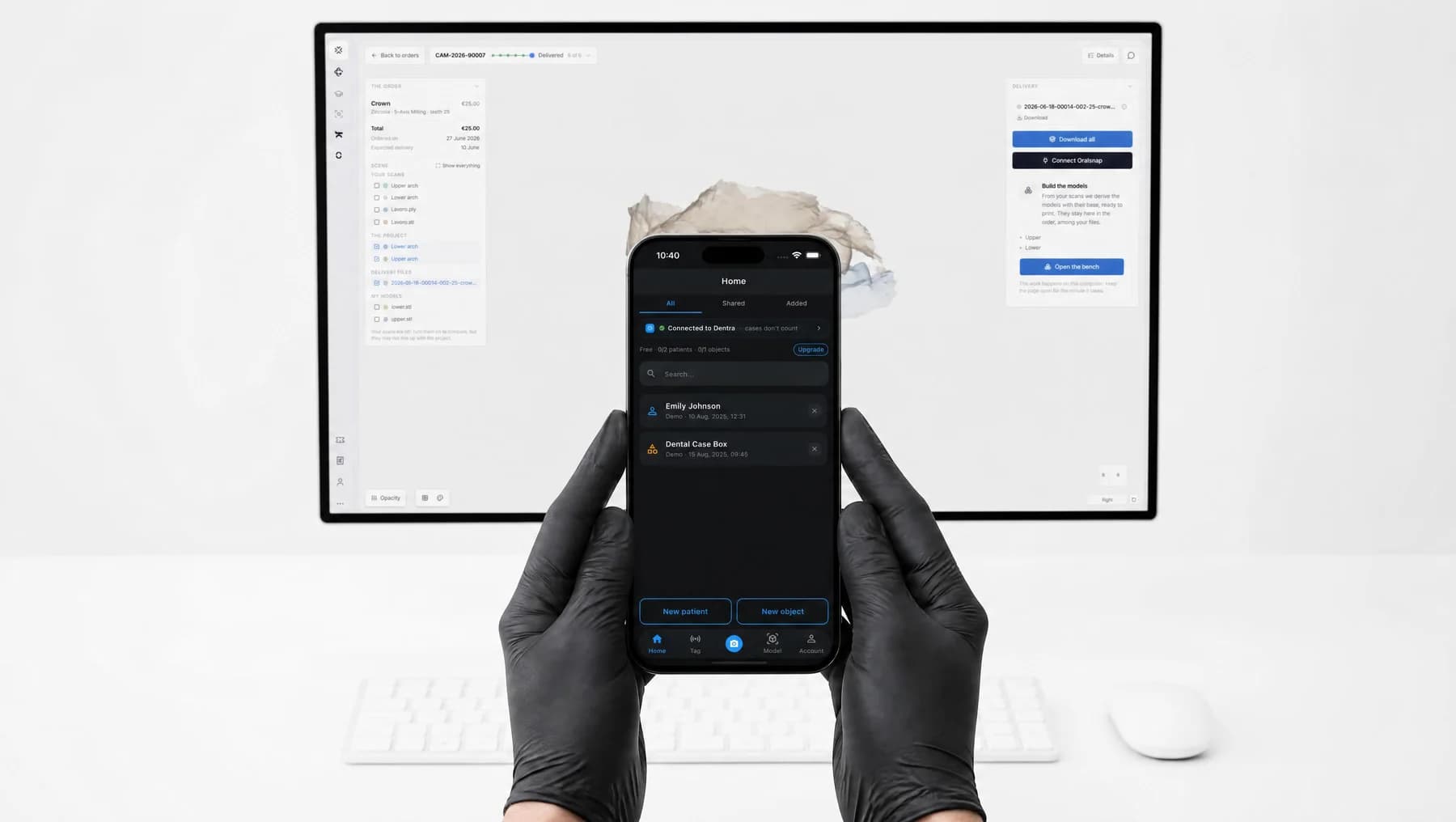
And the case reaches your phone too, in the Oralsnap app
With the same Dentra account: link the practice once and cases show up in the app, with no codes to copy and no second subscription to manage.
- You link it once, by signing in with your Dentra account.
- The models you build inside Dentra are there as well.
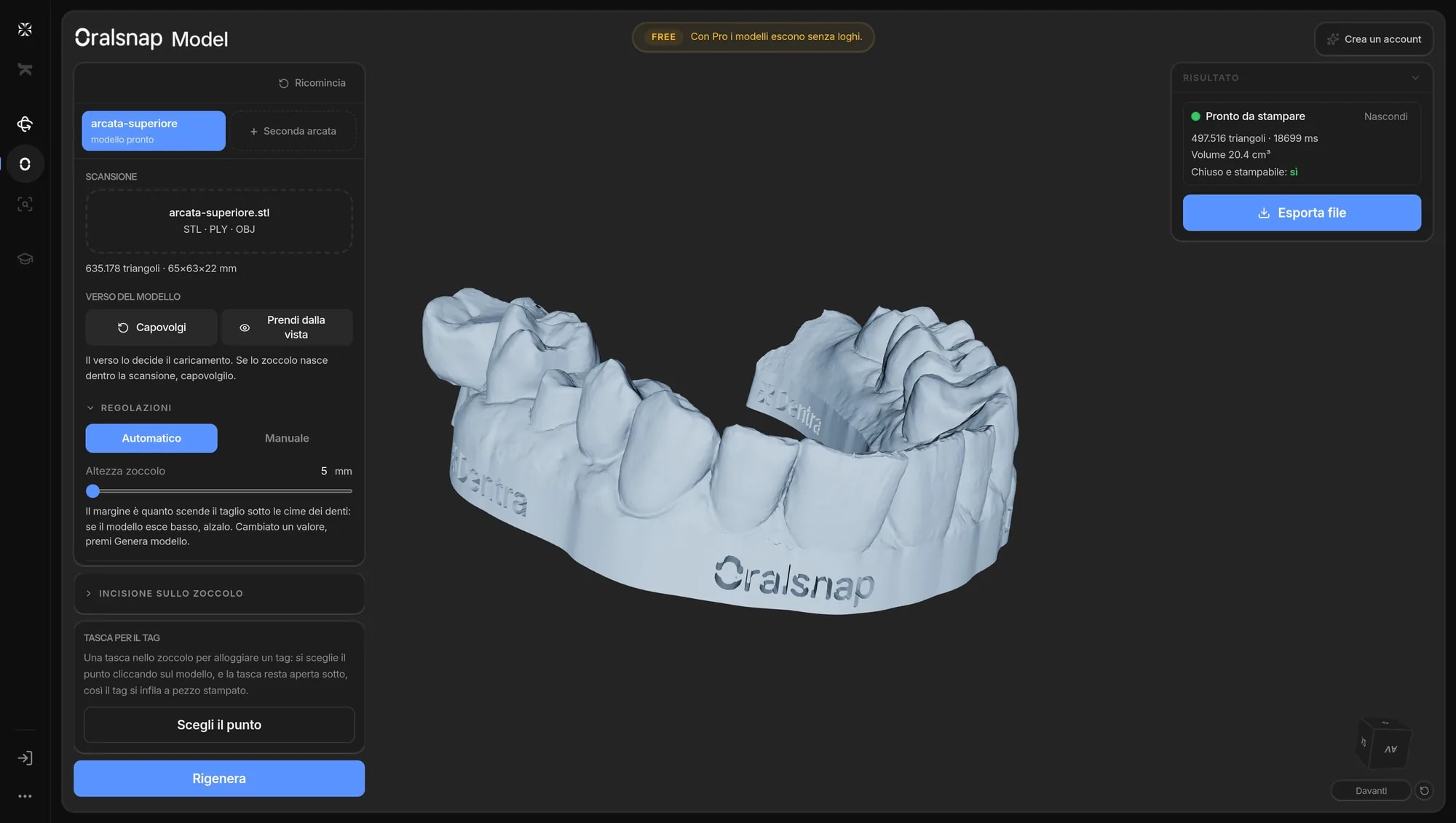
- On the free plan the model comes out with the logos engraved on the base; with an active plan it comes out clean.
Your data, handled to medical-device standards.
Your Dentra account is the key to the other systems too: they learn who you are, not what you have. Patient files never change hands.
- Protected data
- Infrastructure in Europe
- Protected access
- Compliant supply chain

An app in the ecosystem asks you to sign in. It doesn't ask for a new password.
- Protected access
- Protected data
- Infrastructure in Europe
Demo · no password required
For those who treat and those who produce.
Two ways to use Dentra, one flow: we do the design, production stays yours.
 AIDental practicesCustom design work with no CAD software in your practice: upload the scan from your browser, approve the 3D preview and receive files and prescription. Produce in-house or wherever you prefer.Dentra for practices
 AIDental laboratoriesAbsorb peaks and the jobs you don't cover in-house: designs arrive ready, production stays yours. Files ready for your machines, with your preferences already applied.Dentra for laboratories
Around the flow, the rest of the ecosystem
Dentra isn't one product: each system does one thing, on its own. Turn on what you need, with the same account and the same invoice.
View and share your 3D models, anywhere.
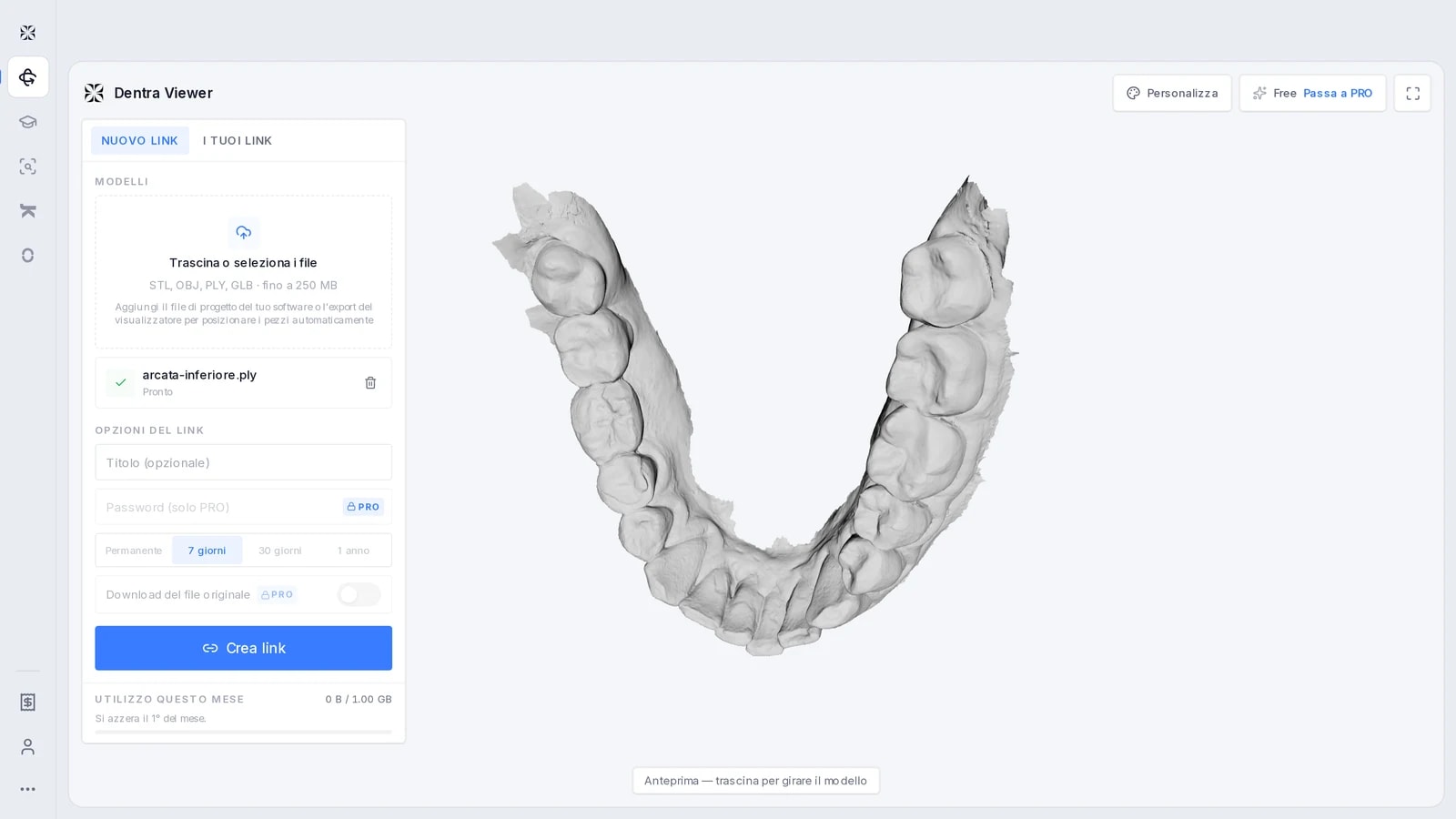
Upload your 3D models and share them with a link: whoever receives it opens everything in the browser, with nothing to install. You can also place the parts automatically from the project file. Free has a storage limit and links last 7 days; PRO adds more space, password, custom or permanent expiry, download and your logo.
Free with limits · PRO {prezzo:viewer-pro-mese}/month
Configure, order and follow custom grillz and mouthguards.
From the scan to a printable model, without CAD.
Load the intraoral scan and get the dental model ready for 3D printing: the system places the edge, cuts and builds the base by itself. If you're not happy with the automatic edge, draw it yourself by clicking along the gum. You can also hollow the model to use far less resin. The scan you load from your computer is processed and downloaded right here: it only reaches us if you report a problem or work on the arches of a Dentra Core order.
Free, with an engraved mark · no mark with any paid plan
Around the flow, the rest of the ecosystem
Dentra isn't one product: each system does one thing, on its own. Turn on what you need, with the same account and the same invoice.
View and share your 3D models, anywhere.
Upload your 3D models and share them with a link: whoever receives it opens everything in the browser, with nothing to install. You can also place the parts automatically from the project file. Free has a storage limit and links last 7 days; PRO adds more space, password, custom or permanent expiry, download and your logo.
Free with limits · PRO {prezzo:viewer-pro-mese}/month
 AI
AITry it on a real case, not on a demo
Open an account, upload your first scan and watch the quote appear. If it doesn't add up for you, you've spent nothing.
Opening an account costs nothing: you pay for the work you order.