Mesh Align is finishing final testing — it will be available in the portal soon.
STL aligned in occlusion, automatically.
Upload upper and lower jaw scans and in under a minute you have the two files aligned in maximum intercuspation. Also works for placing crowns, bridges and frameworks on the target arch. €3 per alignment.
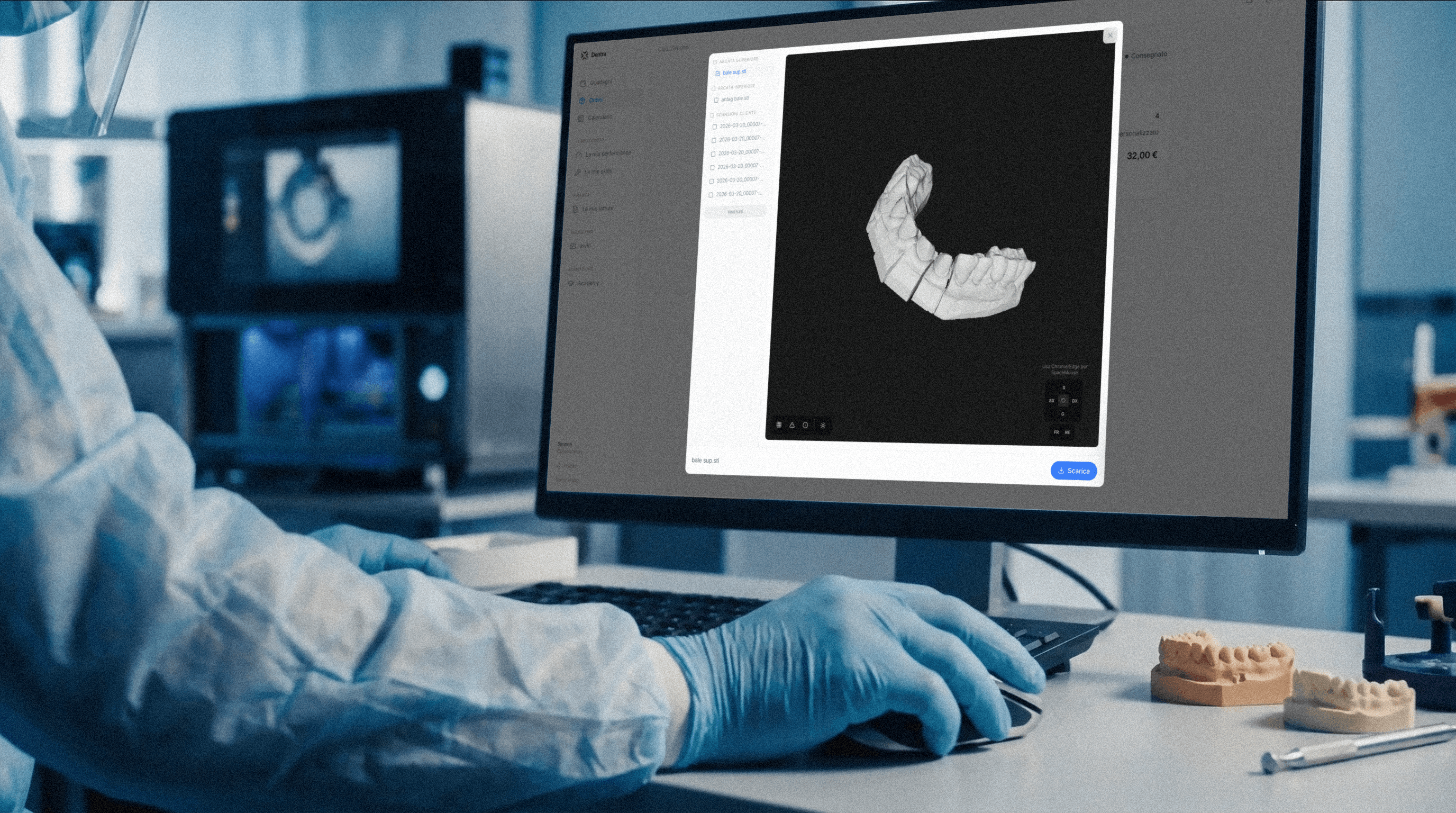
Dentra portal 3D viewer during an occlusion alignment
Two modes for two different needs.
Most alignment jobs fall into one of these two cases. The wizard takes you straight to the right one.
Occlusion mode
You have scanned upper and lower jaw but the patient was not in maximum intercuspation (open bite, bad scan, failed virtual articulation). You upload the two STLs and get the correct, aligned version.
- Input: upper jaw STL + lower jaw STL
- Output: same STLs but in occlusion + RMSE in mm
- ICP algorithm with anatomical constraints
Piece placement
You have a CAD prosthesis (crown, bridge, framework, retainer) and need to position it anatomically on the target arch before milling or printing. You indicate the FDI tooth number and the system does the rest.
- Input: piece CAD file + target arch + FDI tooth number
- Output: positioned piece + 4×4 transformation matrix
- Saves 10-15 min of manual CAD work per job
What you upload, what you get.
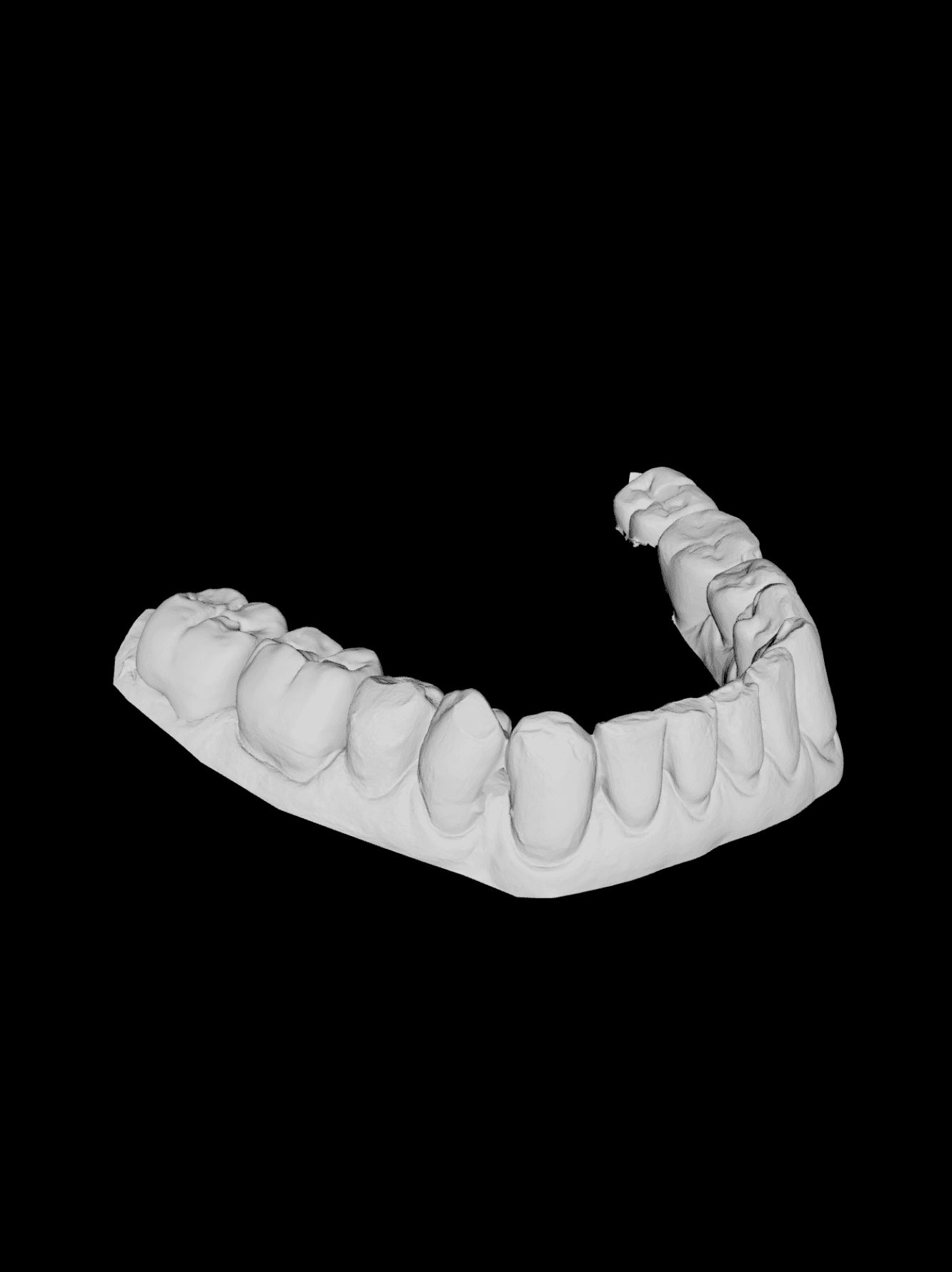
Below: a real example of a mandibular arch STL scan (input), and the occlusion alignment schema (output from the Dentra worker with RMSE metrics).
Input
Mandibular arch STL
Standard intraoral scan, STL format — what the dentist uploads to the portal.
Output
Upper + lower aligned · RMSE 0.12mm
The Dentra worker returns the aligned STLs, the 4×4 transformation matrix and the alignment quality in millimetres.
Four situations where it saves time.
The jobs that most often reach the alignment tool, with the result you get and the time you save compared to manual alignment in CAD.
Scan with open bite
The patient was not in maximum intercuspation during the scan. The virtual articulation STL is not convincing. Upload upper and lower jaw and get the two arches in correct occlusion.
10–15 min of manual adjustment in virtual articulator
CAD crown on target arch
You have designed a crown in CAD and need to position it anatomically on the scanned arch before milling. Indicate the FDI tooth number and the system places the piece precisely.
10–15 min of manual fitting in your CAD software
Partial framework on antagonist arch
Chrome-cobalt framework designed for the upper arch, to be checked in occlusion with the mandibular. Upload the two files and verify occlusal contacts before casting.
Virtual occlusion check without waiting for the physical model
Surgical guide on CBCT scan
You have an STL of the surgical guide designed on CBCT and need to verify its fit on the patient's real intraoral arch. The worker aligns the two files and shows you where they diverge.
Reduced fit errors before guide delivery
4 steps, from 2 STLs to the aligned output.
Choose the operation
Occlusion (upper + lower) or piece placement (CAD + arch). The wizard takes you straight to the right flow.
Upload the files
STL, OBJ or PLY up to 100MB per file. Drag & drop from the portal.
Generate the alignment
Dentra's self-hosted mesh-worker runs ICP (Iterative Closest Point) with anatomical constraints. 30-90 seconds per job.
Download STL + matrix
Aligned file ready to download, 4×4 transformation matrix, RMSE in mm, fit score 0-100. 3D preview viewer in the browser.
€3 for the first piece. €1 for each additional piece.
Pay only for the alignments you actually do. Aggregated monthly billing with automatic charge to the card saved in the portal. Idempotency: re-clicking the same job returns the existing result, no double charge.
First piece
The first alignment of each job. Includes full ICP processing, 3D preview viewer, STL download and transformation matrix.
- STL/OBJ/PLY up to 100MB
- Occlusion or piece placement mode
- RMSE in mm + fit score 0-100
- Download aligned STL + 4×4 matrix
- 3D preview viewer in browser
Same job
Each additional piece in the same job (more crowns on the same arch, more frameworks) costs only €1.
- Same job, same target arch
- No additional setup
- Re-clicking the same job is idempotent — no double charge
- Aggregated monthly billing
Charged at month end · Automatic electronic invoicing · Credit wallet available
Everything in Europe.
EU storage
Uploaded files and results on European cloud infrastructure with data residency in Germany. No extra-EU transfers.
Native algorithm
Iterative Closest Point with anatomical constraints, running on our self-hosted mesh-worker. No external AI services.
Dedicated privacy clause
The dentist accepts a specific privacy clause on the first job. From that point, subsequent jobs do not require re-acceptance.
What you might be wondering.
Align the next job without manual CAD.
Try it from the portal demo. €3 per piece only when you start using it for real, €1 for additional pieces in the same job.