
For practices and labs
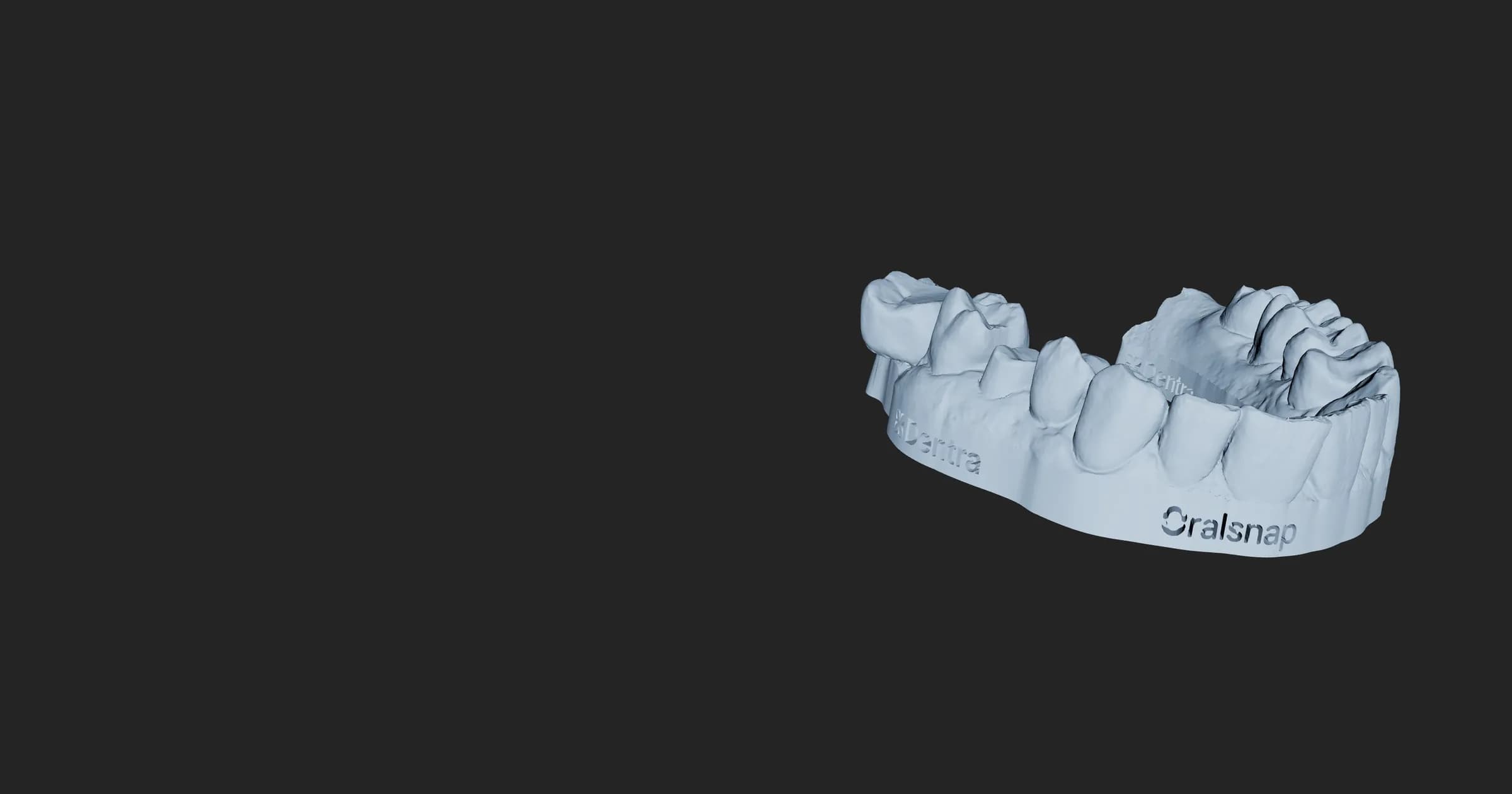
Oralsnap Model: from the intraoral scan to a model ready to print, with the edge and the base done by the system.
Free. Build the model without an account; to download it, a free account is enough.
How it works
Three steps, and the model is ready.
For the practice with an intraoral scanner and a 3D printer, and for the lab that prints its clients' models. No design software needed: the model is built in your browser and downloaded from there.
Open Oralsnap Model- 1
Upload the scan
The file from your scanner, in STL, PLY or OBJ. One arch or both together: no need to say which one is the upper.
- 2
The system places the edge
It finds the edge, trims and builds the base by itself. If you prefer, you draw the edge yourself by clicking along the gum.
- 3
Download the model
It comes out closed and checked, ready to print. And the scan has never left your computer.
What you get
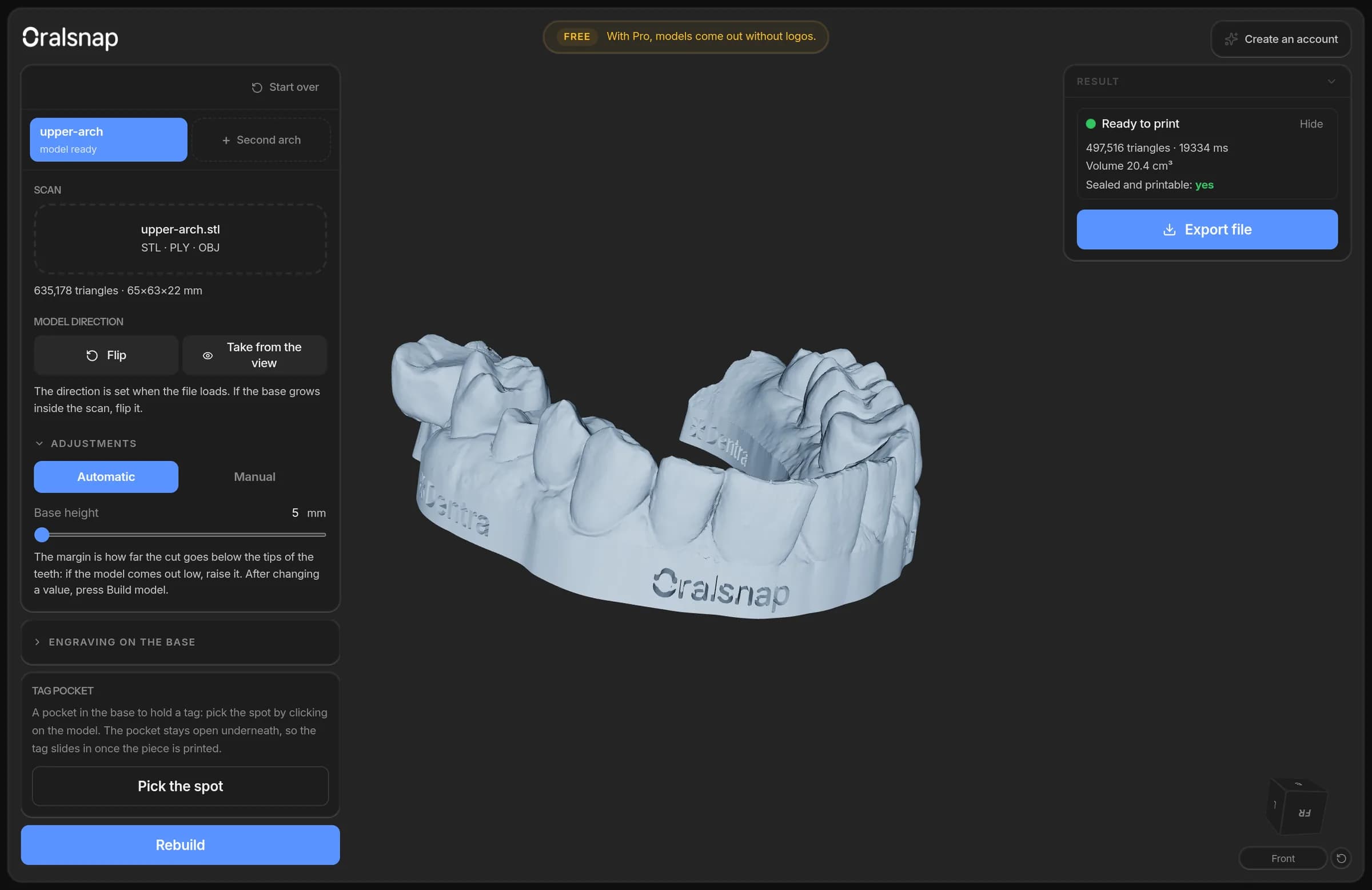
The model the way your printer needs it.
Adjust what matters for printing and see the result on the model straight away, before you download it.
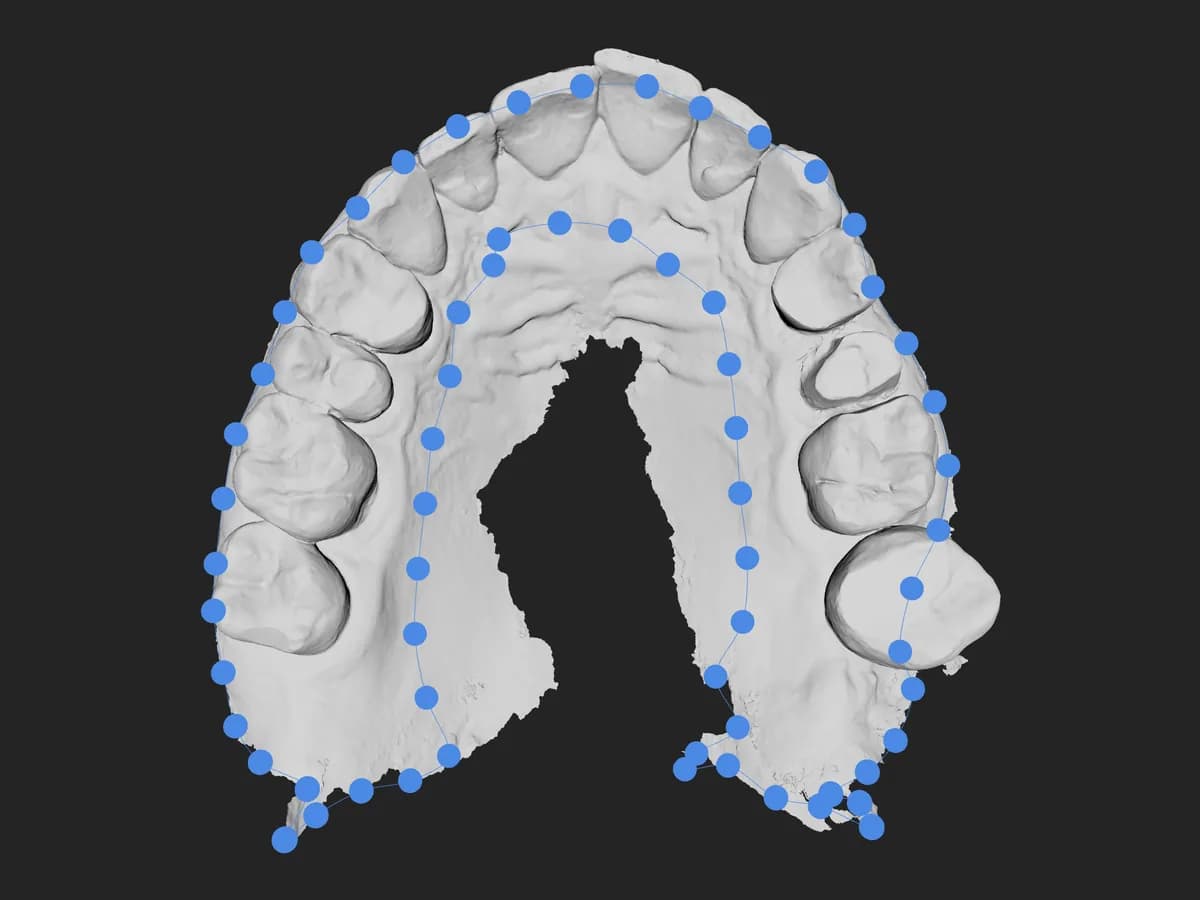
Automatic or hand-drawn edge
The system places the edge. If you're not happy with it, draw it yourself, point by point, and move the points until it's right.
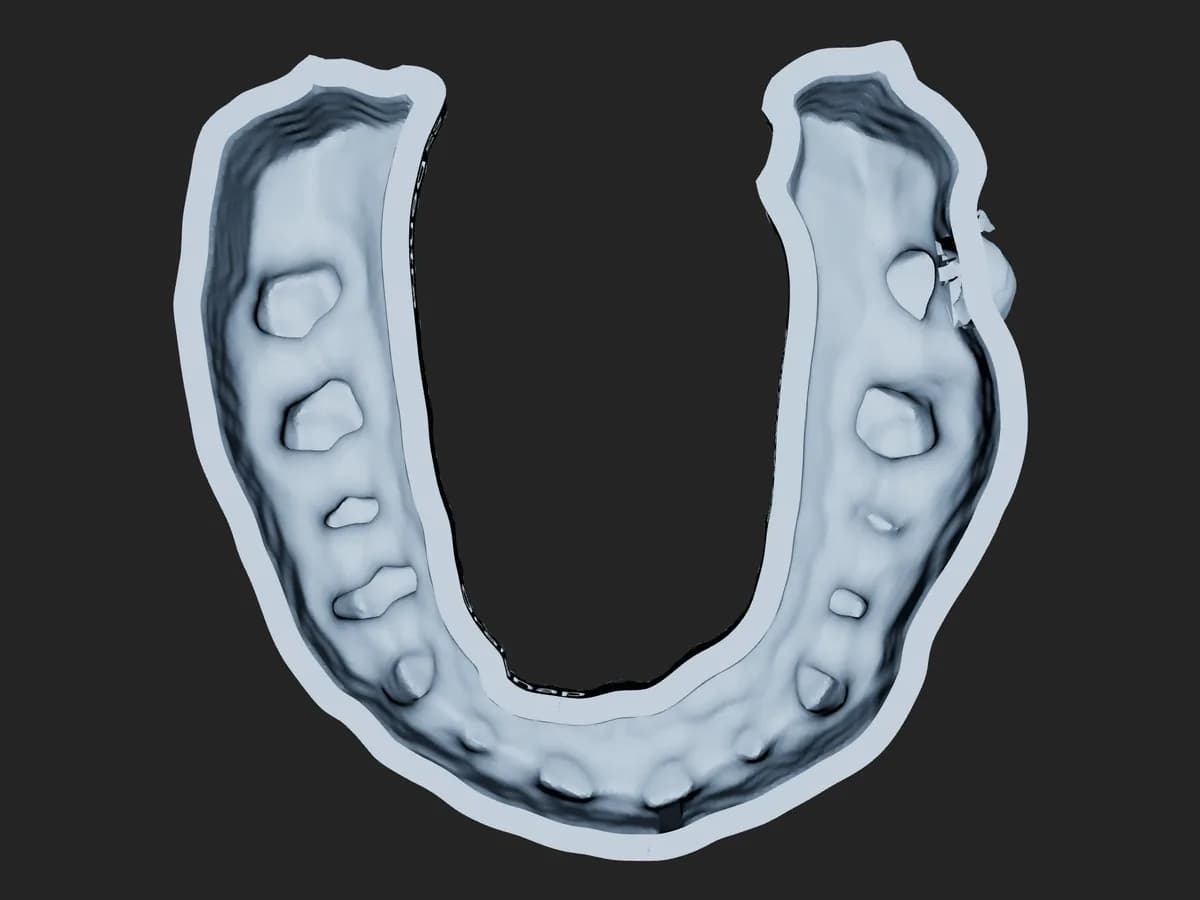
Less resin
Hollow the model: it becomes hollow at an even thickness, closed underneath by a ring, with drain holes if you want them. Same shape, far less resin.
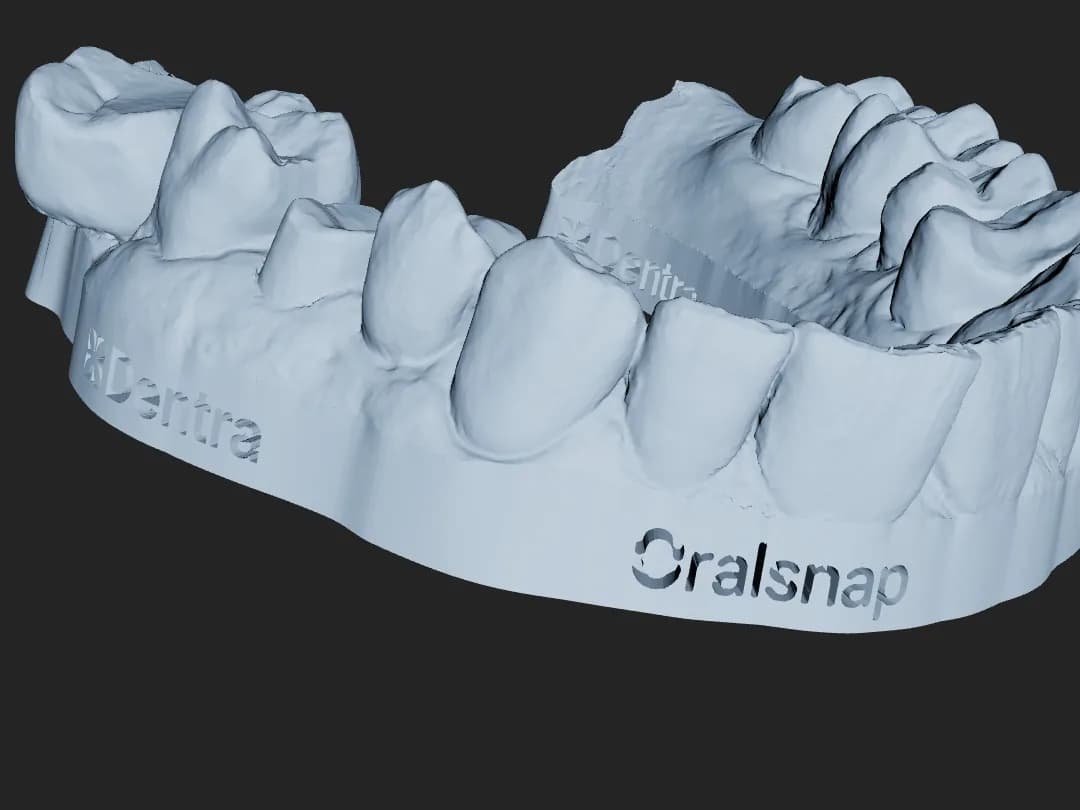
The mark on the base
On the free plan the Dentra and Oralsnap logos are engraved on the base. With an Oralsnap plan the model comes out clean, and you can engrave a name instead of the logos.
What changes between tiers
You start without an account. The Dentra account is free and lets you download the model; an Oralsnap plan removes the logos from the base.
| No accountfreeyours | With accountfree | Oralsnap plan€14from €9 a monthpaying yearly | |
|---|---|---|---|
| Model from the scan | |||
| The scan stays with you | |||
| Download the model file | |||
| Draw the edge yourself | |||
| Hollow the model | |||
| Ready to print | |||
| Logos on the base | engraved | engraved | none |
| Your name engraved | |||
| From a Dentra order | |||
| Cases in the Oralsnap app |
Oralsnap plans
Basic
€14 a month
or €108 a year
Pro
€25 a month
or €228 a year
Enterprise
€45 a month
or €468 a year
For a model without logos the cheapest plan is enough; what each plan adds is up to the Oralsnap app. Buy it in the app, or through Dentra: then the fee goes on your monthly invoice.
Create a free accountThe Oralsnap app
And the case lands on your phone.
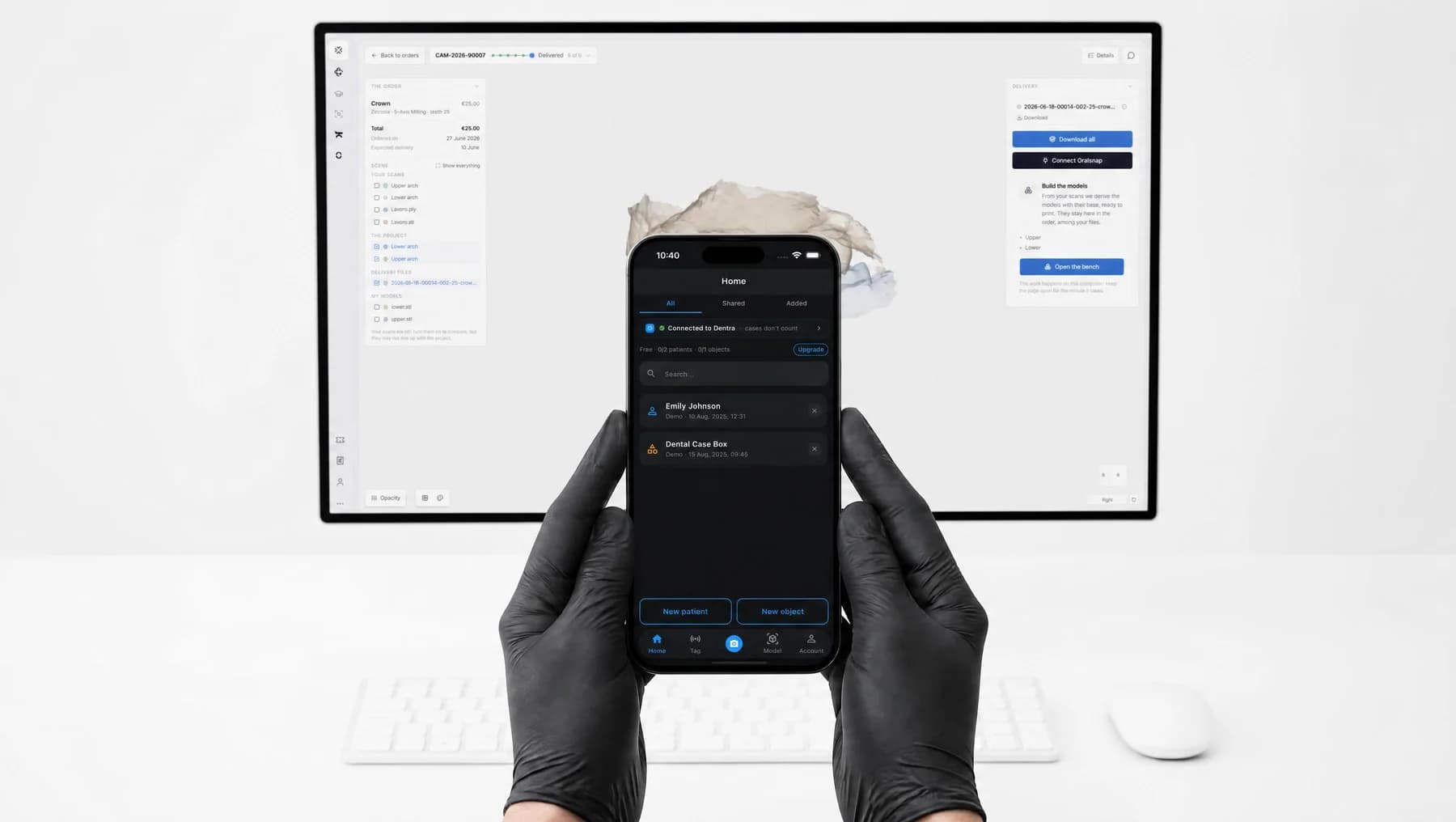
Oralsnap is the app for dental practices and labs: it keeps your patients and clinical photos together, and recognises work in progress from an NFC tag, just by holding your phone close. Connect the practice once by signing in with your Dentra account: the cases from your Dentra orders arrive there, together with the models you build for them.
- You can add a pocket in the base for a 25 mm NFC tag, open underneath: the tag slides in once the piece is printed.
- The app is free to download; advanced features and team management are paid.
FAQ
What people ask us about Oralsnap Model
Which files can I upload?
The scan from your intraoral scanner in STL, PLY or OBJ, one arch or both together. It needs the raw scan, not a model that has already been worked on: if the file already has a base, Oralsnap Model tells you.
Can I use it without an account?
Yes. Without an account you upload the scan, build the model, draw the edge and hollow it. To download the file you need a Dentra account, which is free: with it you can also open the arches of a Dentra order and find your cases in the Oralsnap app.
Does the scan end up on your servers?
No. The scan is processed in your browser and the model is downloaded from there: the patient's file never leaves your computer. It only reaches us if you send it yourself, when you report a problem with a model.
How do I remove the logos from the base?
With any Oralsnap plan, even the cheapest: €14 a month, or €108 a year. The model comes out clean and you can engrave a name instead of the logos. You buy the plan in the Oralsnap app, or through Dentra on the Extensions page of your account: you need your Oralsnap account connected, your billing details and automatic debit, and the fee goes on your monthly invoice.
What file do I get?
A closed, checked STL file, ready for your printer's software. If the scan carries colour, the model keeps it and comes out as a PLY.
Can I do both arches together?
Yes. Upload the upper and the lower together: each one becomes its own model, and you download both with one click.
Build your first model.
Free. The free account is what lets you download the file.