
Dentra Core
Following an order
Every order has its own status and its own chat with the team: no need to phone to find out how it's going.
The order list
In My orders you see all your orders with number, date, status and total. The tabs at the top filter them: “All”, “Drafts to complete”, “Pending”, “Confirmed”, “In progress”, “Delivered”, “Cancelled”. “In progress” also includes orders in Quality check; orders Awaiting your review are under “All”.
An order marked “Prescription to complete” goes ahead anyway: you complete the prescription whenever you like, by opening the order.
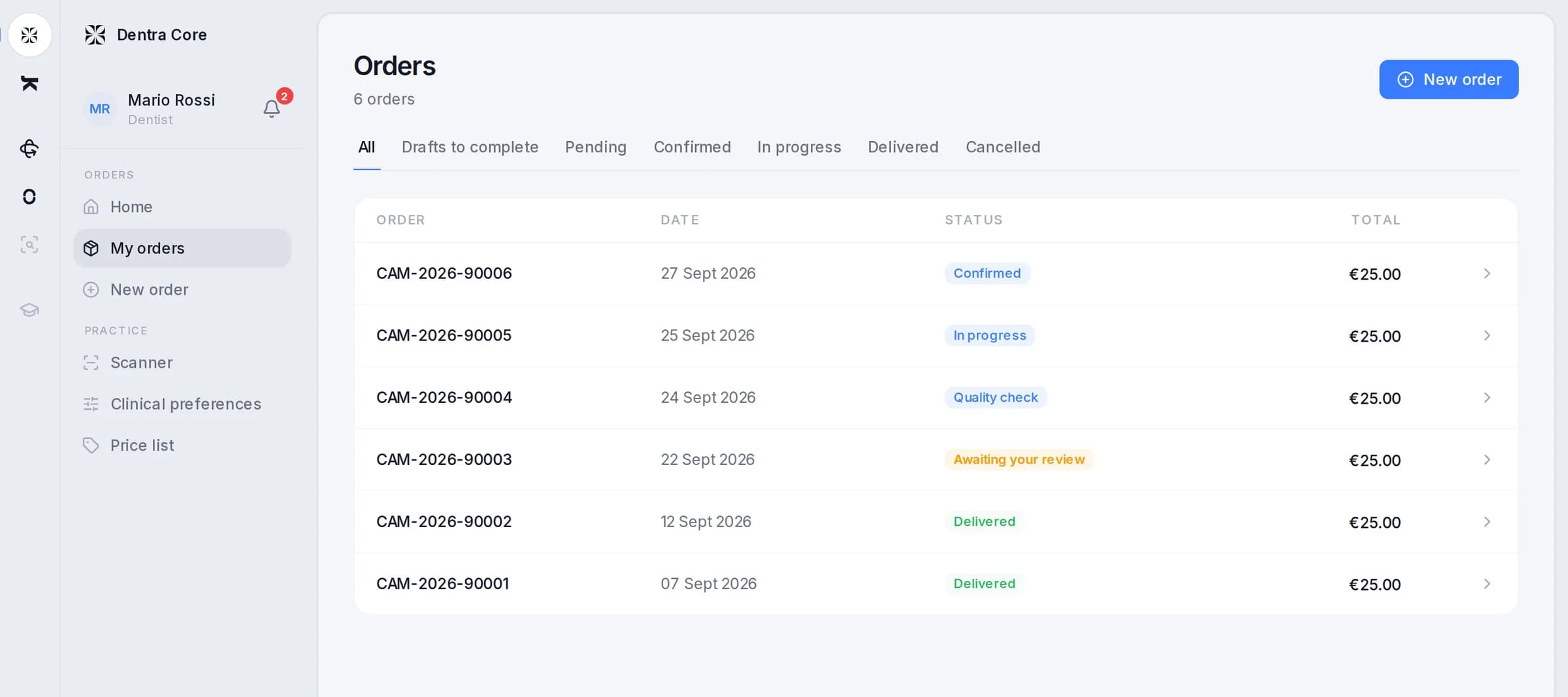
The statuses
| Status | What it means |
|---|---|
| Pending | The order has arrived. |
| Confirmed | The order has been taken on. |
| In progress | The design is under way. |
| Quality check | The design is checked before it reaches you. |
| Awaiting your review | Your turn: look at the design and decide. |
| Change in progress | In red: you asked for a change and we're working on it. |
| Delivered | The work is finished and you can download it. |
| Cancelled | The order won't go ahead. |
When the order is Awaiting your review you have a set time to decide: the reviewing the design page explains it. If you request a change, the order goes back, even if it was already Delivered: in the list and on its page it shows in red, “Change in progress”, until you get the corrected design or a reply from us. See after the request.
Notifications
You don't need to keep checking the page: we email you when the order arrives, when it's confirmed, when the design is ready for review, when it's delivered and if it's cancelled.
For orders, on WhatsApp we only write when it's your turn: the design ready for review, or a file we're asking you for. You turn it on in My account, Notifications tab, with your number. The emails arrive either way.
The order page
When the order has 3D files, it opens in the 3D view: the model in the middle, and the panels around it.
- The order: the work, the teeth, the price, the order date and the expected delivery.
- Scene: the models you can show and hide, that is your scans, the design and the delivery files.
- Delivery: the finished files, when they're ready.
- Details: the button at the top opens everything else about the order, including the prescription and the status history.
- Opacity: lower it to see the work through the arch.
If the prescription is missing, The order panel reminds you: you can complete it whenever you like, the work goes ahead anyway. Press “Complete it now” and Details opens: in the “Prescription to complete” box press “Complete it now” again, fill in the details and press “Sign and complete”.
Messages
The Messages button, the speech bubble at the top, opens the order's chat. The team's questions and your answers stay there, tied to the case, with the name of whoever writes to you. A red dot counts the unread messages, and when the team writes to you, you also receive an email.
If we need an extra file, under Details you'll find the “Requested by Dentra” box with what we're missing, and you receive an email. You upload the file there, with “Upload additional file”: you can do it until the order is Delivered.
If the team asks you something without which the work can't go on, the order is put on hold. As soon as you answer in the chat the work starts again, and the delivery date moves forward by the time it was on hold. A hold lasts at most three working days.
Changing an order
While the order is Pending, Confirmed or In progress, The order panel has “Edit order”. You can edit it only once, and you can only add: teeth, connections, files, notes or the working model. You can't remove anything.
If the order is still Pending, the change is free. If it's already Confirmed or In progress there's a surcharge, which grows with the time that has passed: you see it before confirming. If delivery is close, the date moves forward and we tell you beforehand.
A signed prescription can't be changed. If something's wrong, write it in the order's messages.
Cancelling an order
There's no button to cancel an order: ask for it in the order's messages. What you pay depends on the order's status when it's cancelled.
| Order status | What you pay |
|---|---|
| Pending or Confirmed | Nothing: cancelling is free. |
| In progress | 50% of the order total. |
| Quality check or Awaiting your review | 100% of the order total. |
| Delivered | Nothing extra: the cancellation is free of charge. |
If the cancellation has a cost, you'll find the amount on the end-of-month invoice, on the line “Orders cancelled after work started”. If the cancellation is down to us, you pay nothing.