
Oralsnap Model
Oralsnap Model
From the intraoral scan to a model ready for 3D printing, with the edge and the base done by the system. All in your browser.
What it does
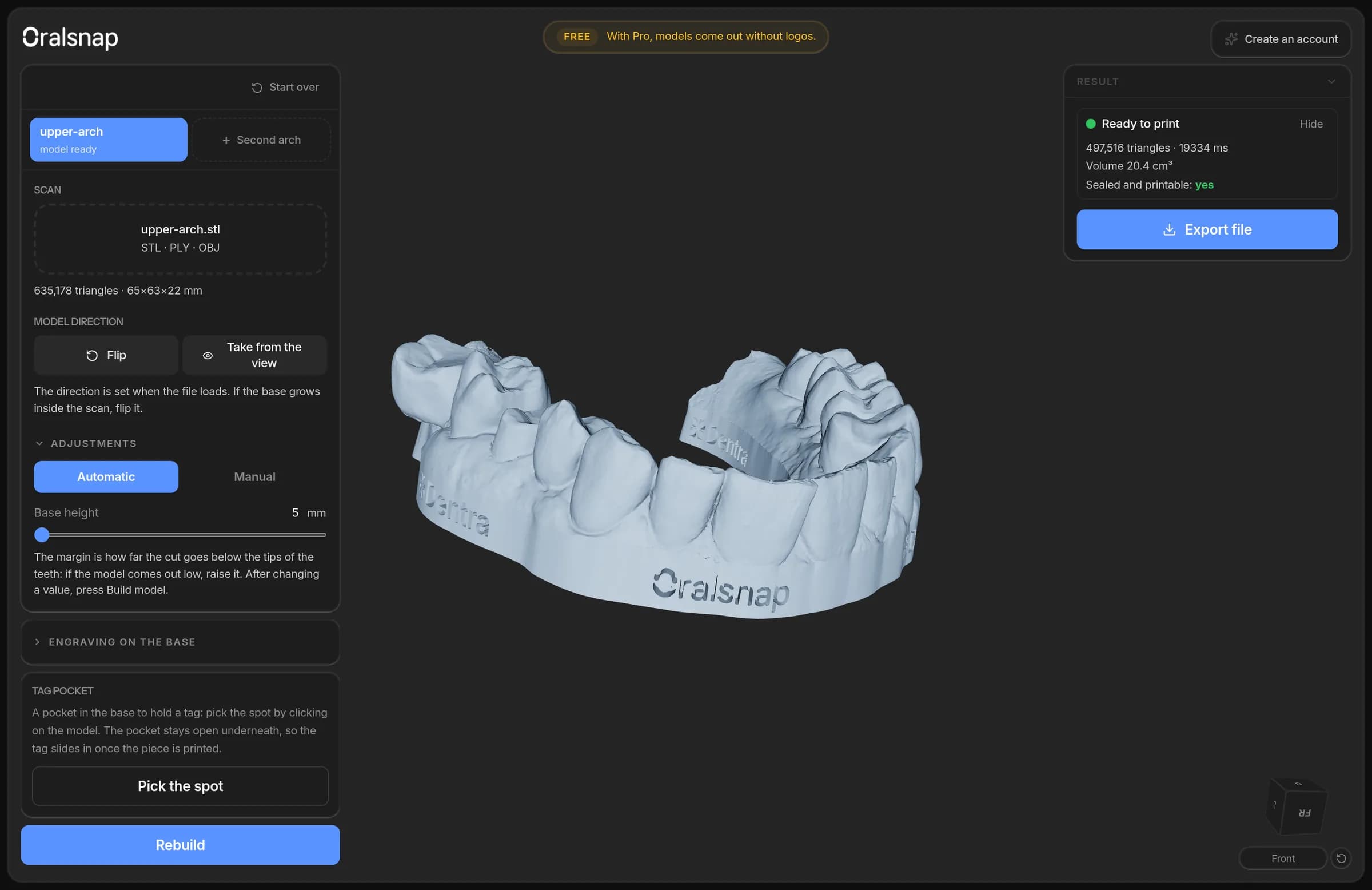
You load the scan from your intraoral scanner and Oralsnap Model builds the model to send to print: it finds the edge, trims the scan and adds the base. Before downloading it you can adjust the base height, hollow the model to use less resin and cut a pocket in the base for an NFC tag.
It's made for the practice that has a scanner and a 3D printer, and for the laboratory that prints its clients' models. You don't need design software and there's nothing to install.
The scan stays on your computer
The scan is read and processed in your browser, and the model is downloaded from there: the patient's file isn't uploaded anywhere. It only reaches us in two cases, and always because you decide so: when you work on the arches of a Dentra order (which are already in the order, and the model goes back there), and when you press “Report a problem” to show us a model that came out wrong.
Your work in progress stays saved in that computer's browser, so reloading the page doesn't lose the edge you drew. Only one job is kept, the most recent, and it deletes itself after 7 days. If someone else uses the same computer, they won't find yours. Without an account, the work only stays until you close the browser tab.
You can use it without an account
Without an account, before loading the scan tick “I accept the terms for the free tools and the privacy notice”. Then you load the scan, build the model, draw the edge by hand and hollow it: the tool works in full. To download the file you need a Dentra account, which is free. Pressing “Export file” without an account opens the panel to sign in or sign up, on top of the page: type your email and then the code you receive, so you sign in without leaving the page and the model you built stays there.
If you already have an account and Oralsnap Model isn't active yet, the first time you open it, it asks you to activate it: you do it with “Activate for free”.